Rattle Inc. – AI-Powered Sales Collaboration Platform
Project Overview
Client
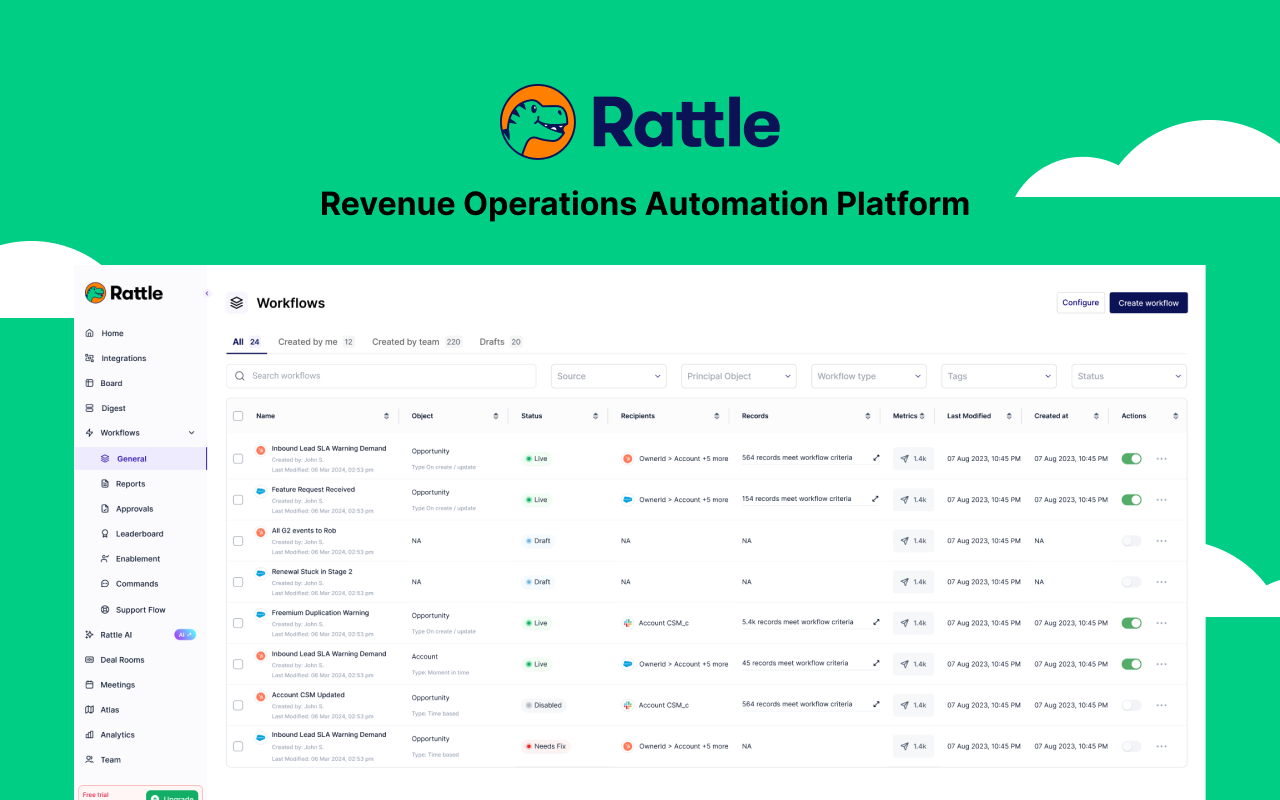
Rattle AI – AI-powered sales collaboration platform
Role
Sr. Product Designer, AI features and workflows
Key Projects
Deal Intelligence and Meeting Intelligence – core AI features I owned chronologically from early work at Rattle
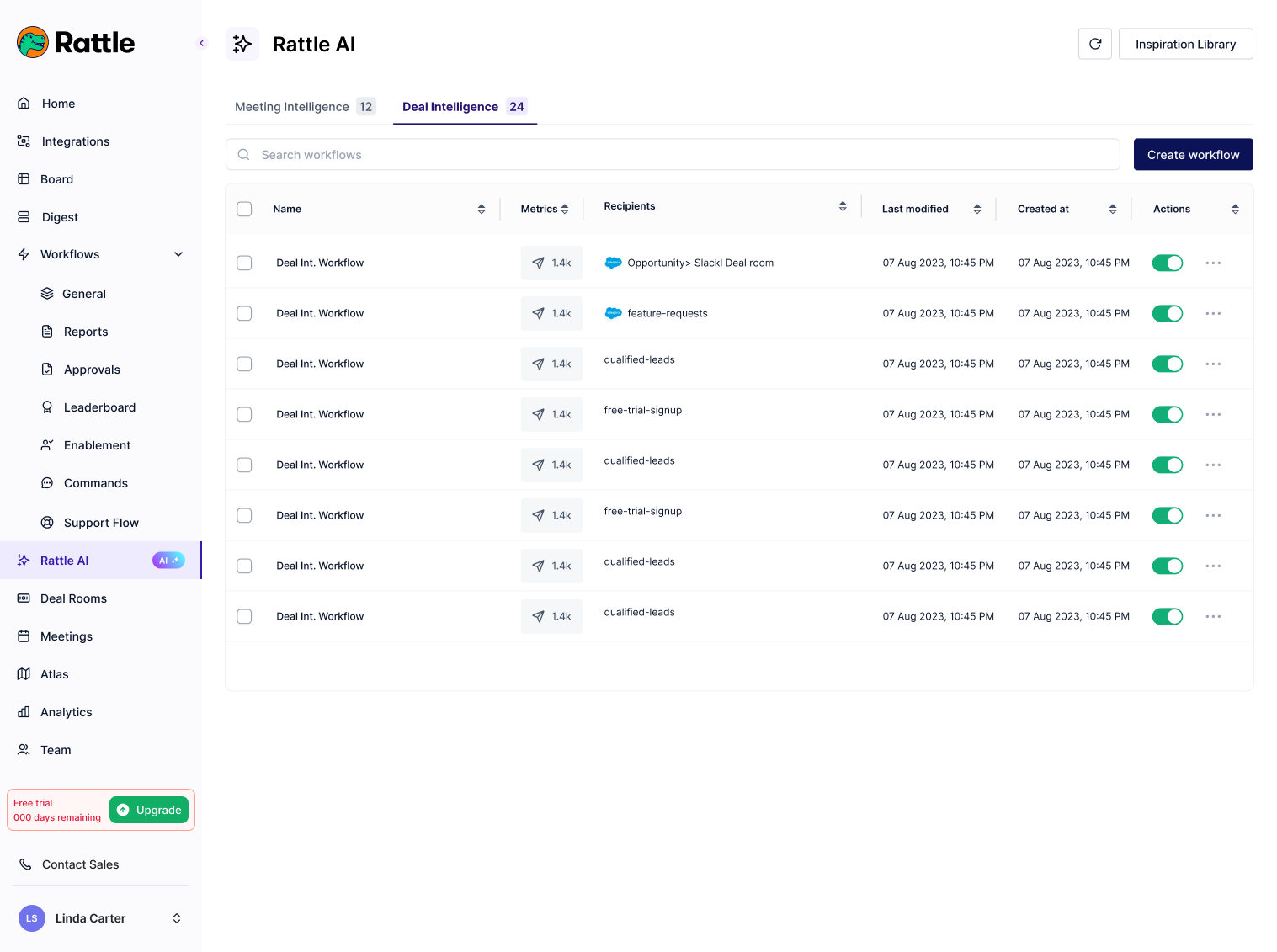
Deal Intelligence
Sales leaders know to let reps sell but need to intervene when required. Keeping track of deals is challenging with multiple emails, meetings, and chats. Without clear visibility, leaders chase reps for updates, delaying support and guidance.
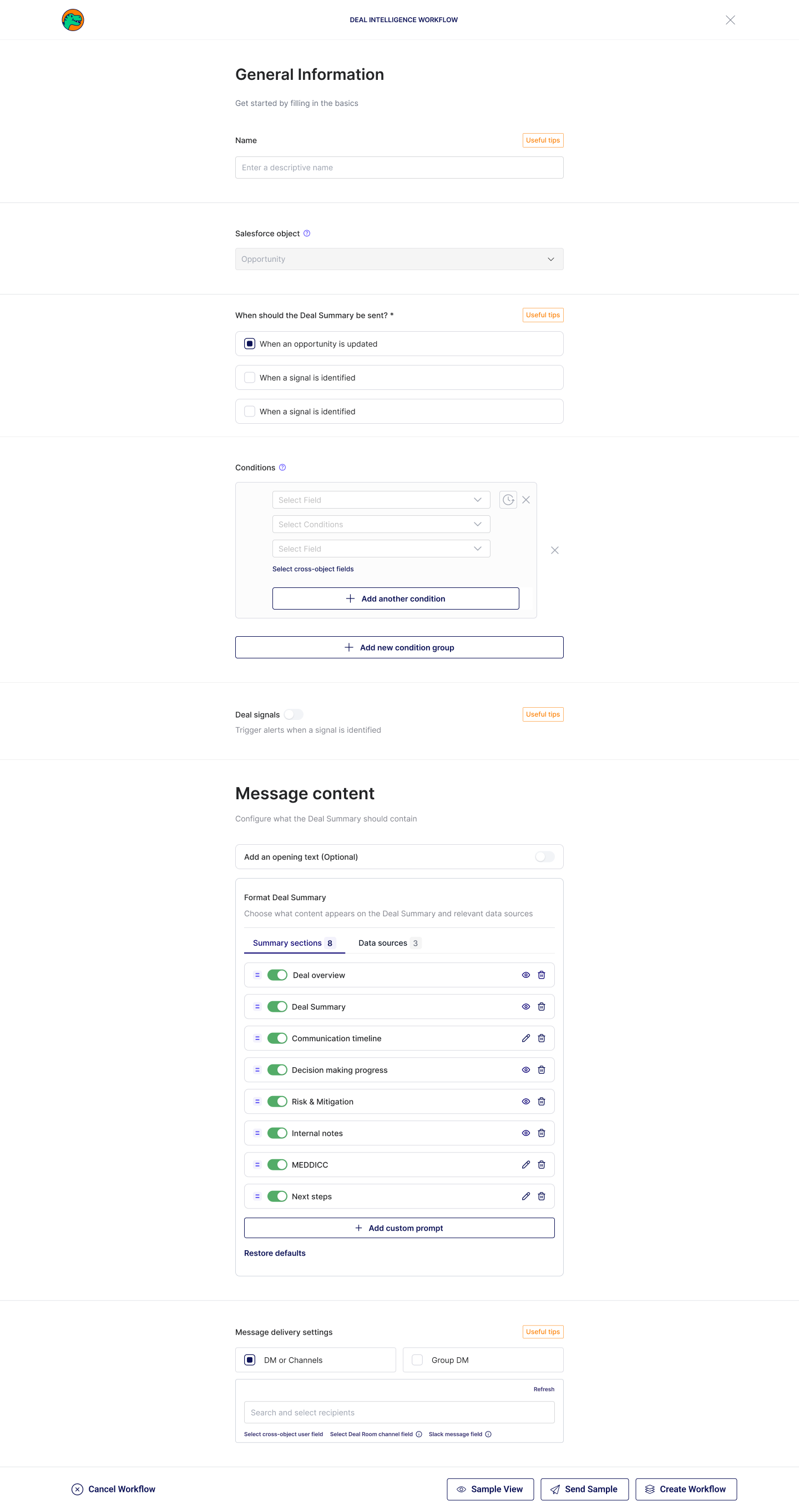
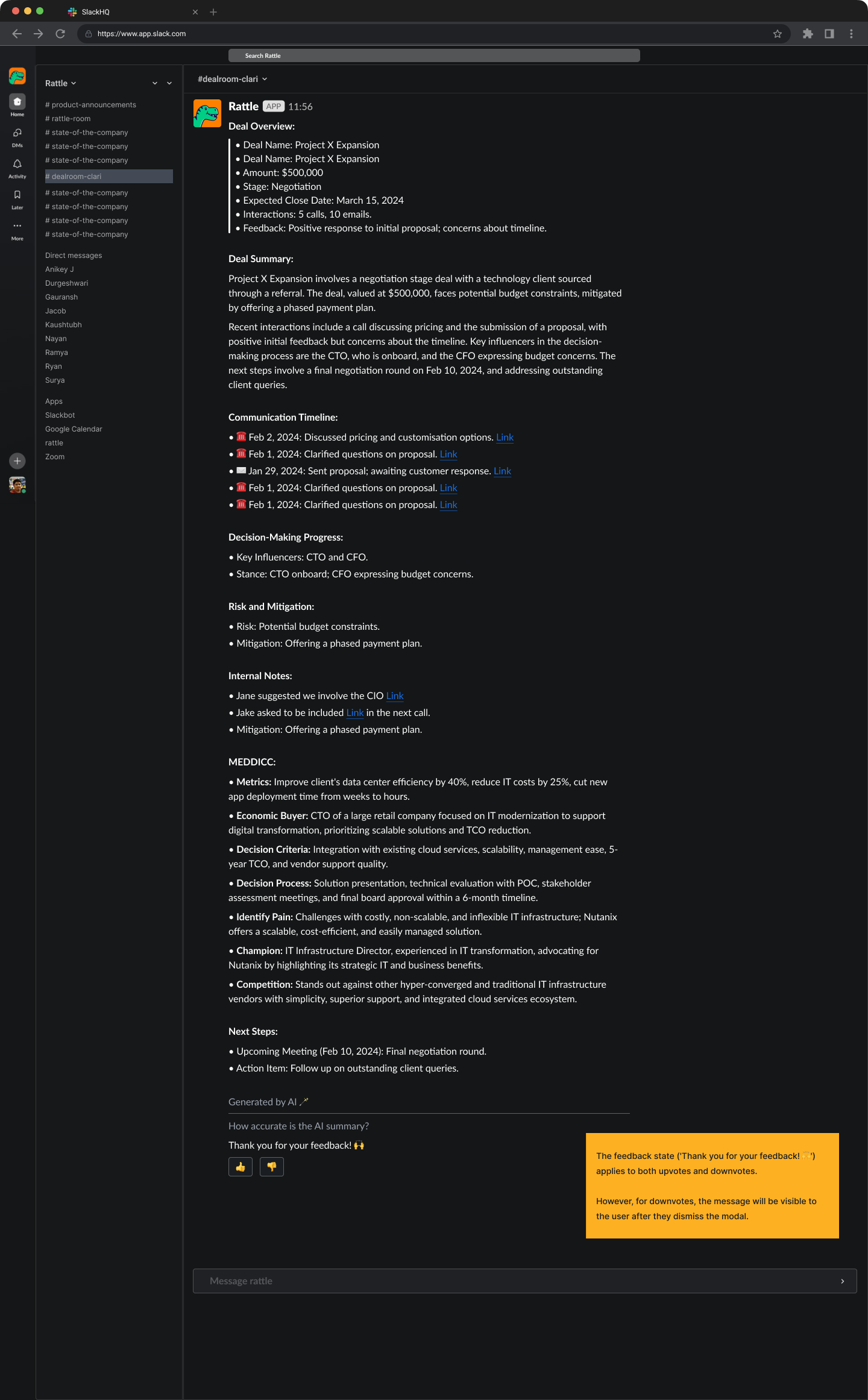
Deal Intelligence uses AI to generate summaries from CRM fields, call recordings (Zoom, Gong, Chorus), Slack Deal Room conversations, and emails. Users create workflows with triggers (deal updates or schedules), conditions, custom prompts (up to 8 total), and delivery to Slack (DMs, channels, group DMs, Deal Rooms).
As the owner of Deal Intelligence in Rattle AI, I designed the end-to-end feature, including the workflow builder, AI prompt customization, and integrations with sources like Salesforce and call tools. This enables leaders to gain instant deal context without manual effort.
Meeting Intelligence
Not everyone needs full meeting details every time. Manually extracting action items, decisions, or CRM updates from calls wastes time. This causes missed insights, poor CRM hygiene, and delayed team alignment after meetings.
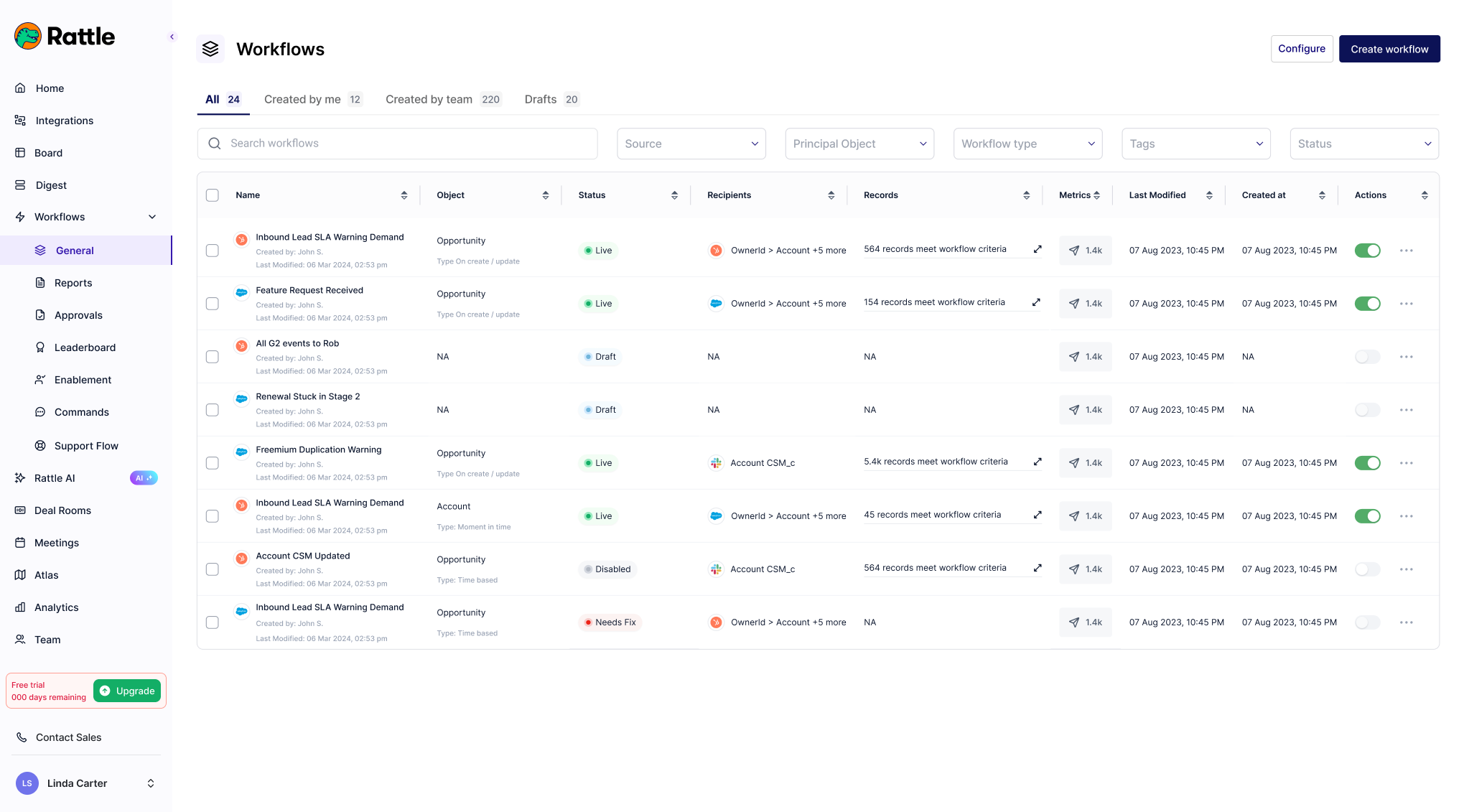
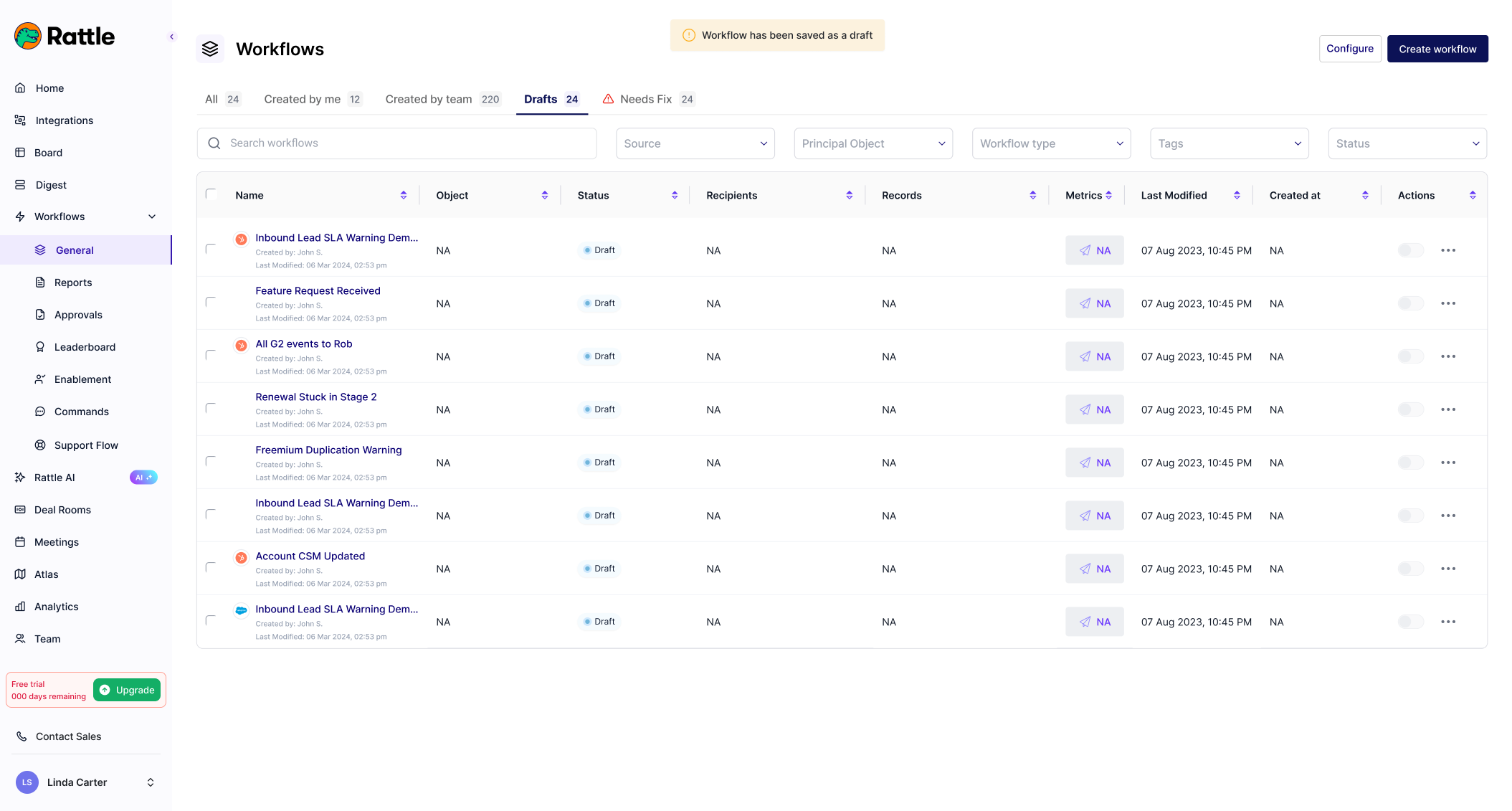
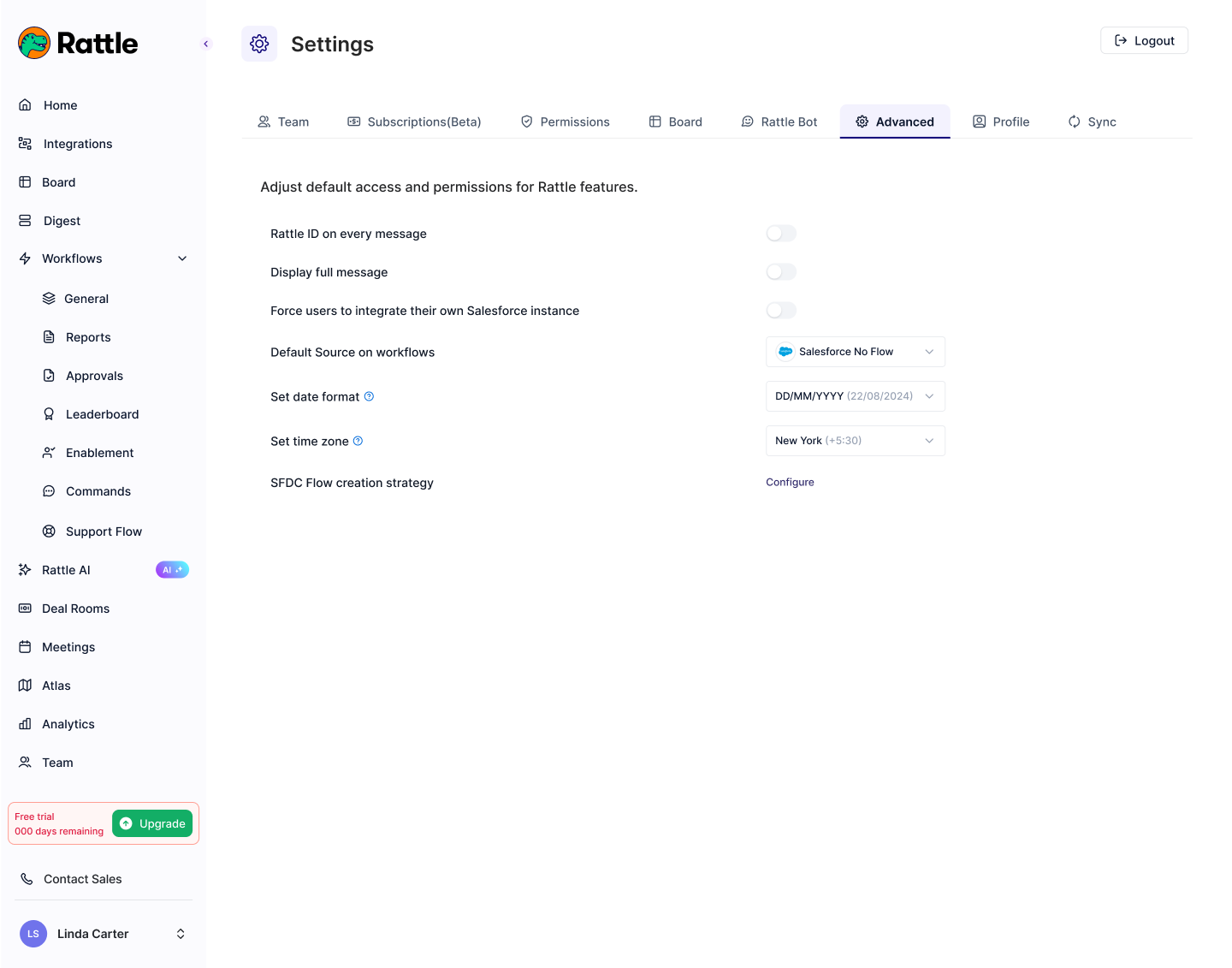
Meeting Intelligence uses AI on recordings (Zoom, Gong, Chorus) to generate tailored summaries, next steps, coaching notes, and CRM suggestions. Workflows customize prompts (default or up to 5 custom), set Salesforce conditions, and deliver to Slack (DMs, channels, group DMs, Deal Rooms) with optional message buttons for quick actions like editing summaries or updating fields.
After owning Rattle AI and Deal Intelligence, I took ownership of Meeting Intelligence. I designed the customizable workflow system for relevant summaries per role, integrating call transcripts with CRM for improved visibility and efficiency without extra manual work.
Analytics Tab
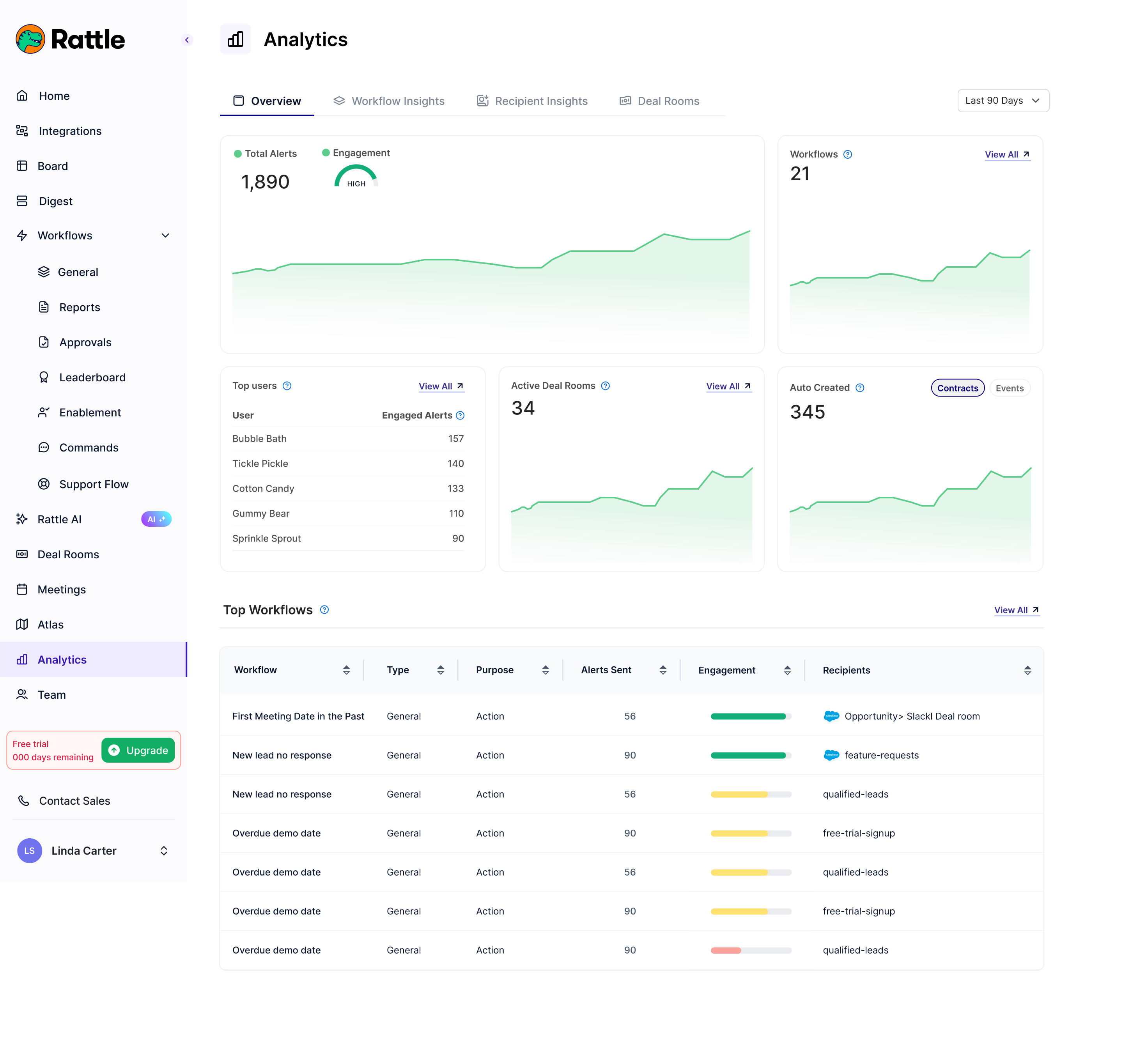
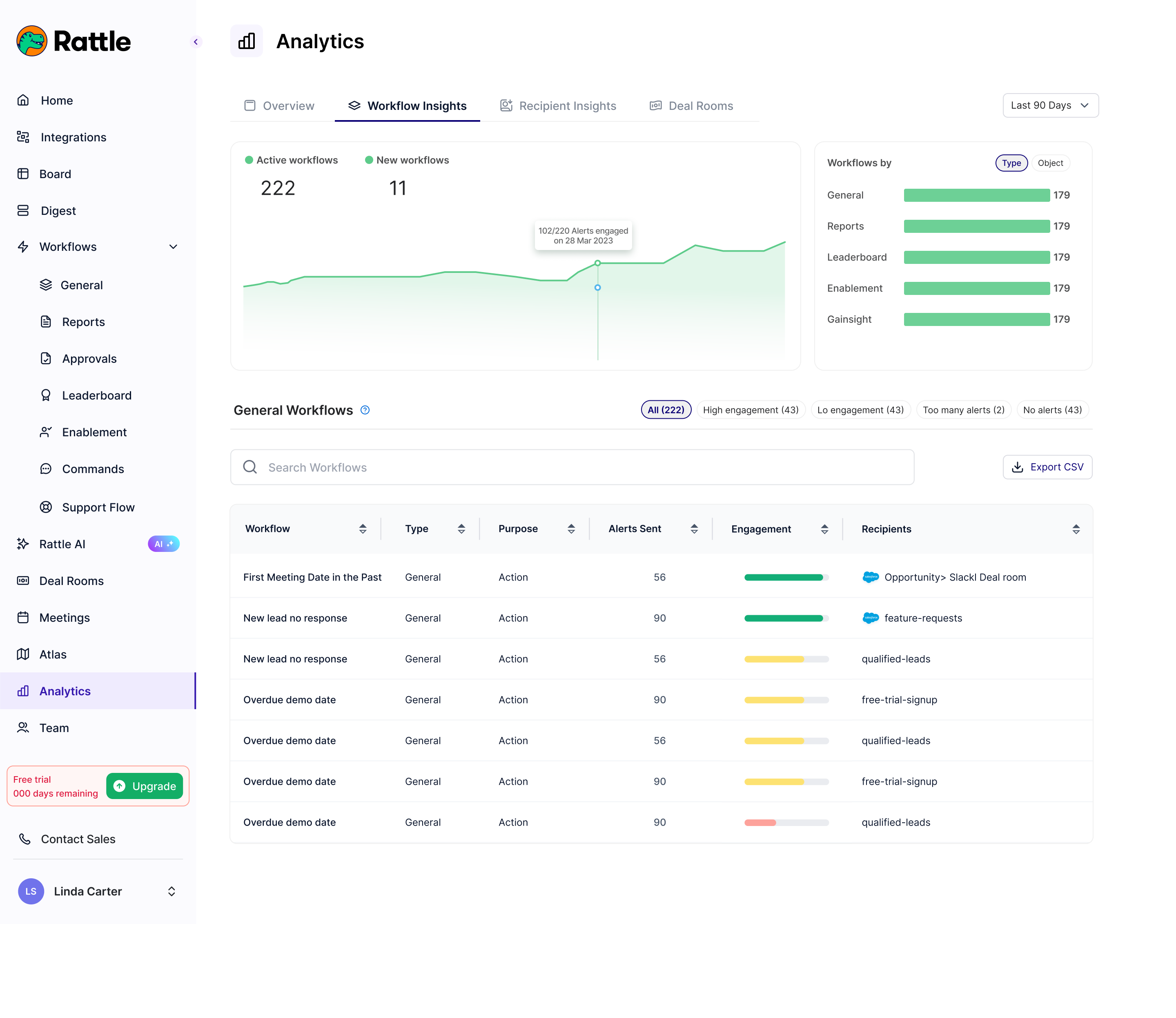
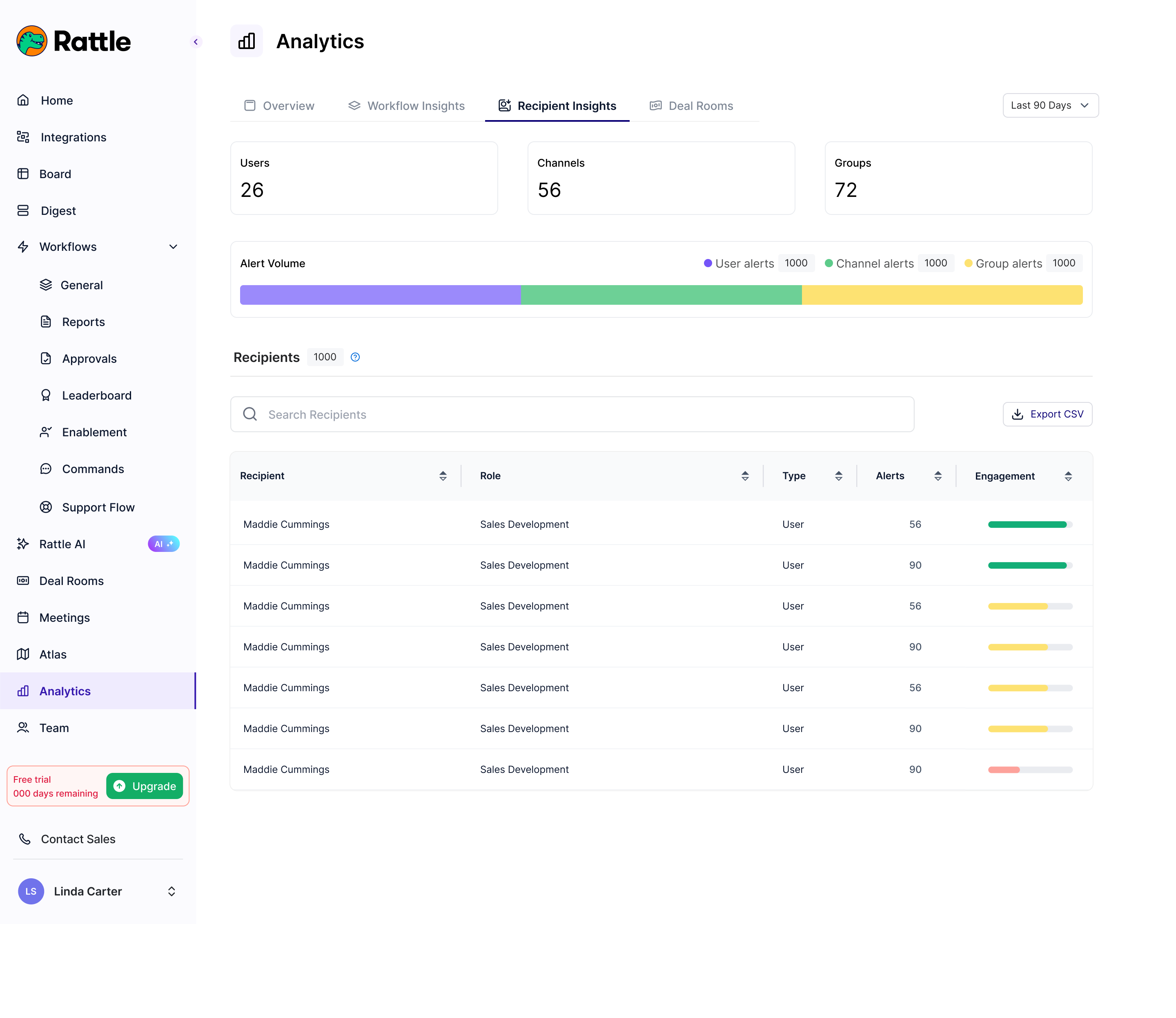
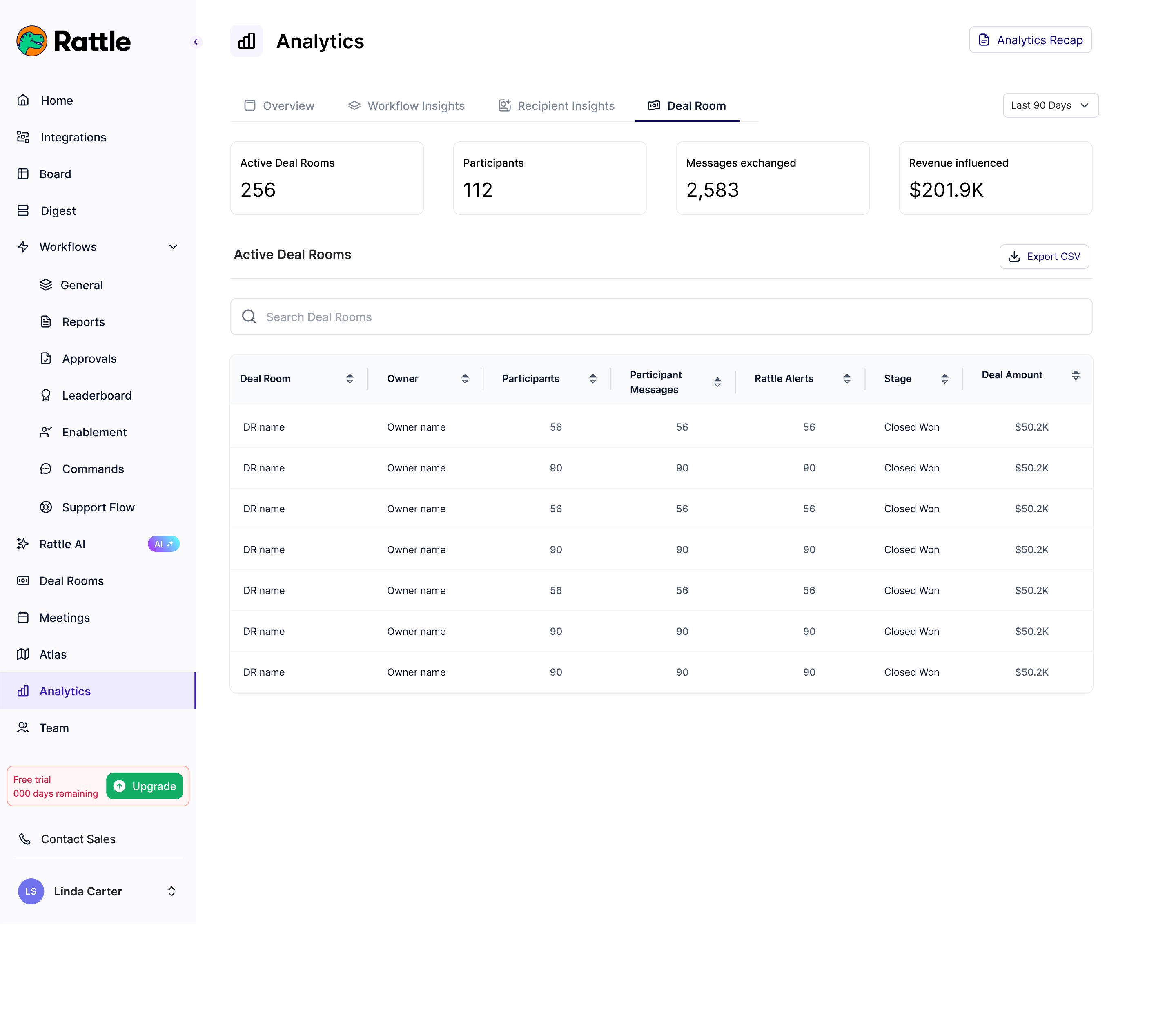
Admins lacked a clear view of team engagement and Rattle’s value, making it hard to measure adoption, ROI, and impact on business outcomes like renewals. This led to uncertainty about tool usage and potential customer churn.
The Analytics Tab provides a live dashboard with KPIs like workflow runs, alert deliveries, user activity, and engagement metrics. It shows overall team usage trends, helping admins assess value and correlate with business results, such as higher renewal rates from active tool use.
As owner of this feature, I iterated through multiple designs with PMs and company leadership, conducting testing rounds to refine UX for intuitive dashboards and actionable insights, ensuring admins could easily demonstrate Rattle’s impact on retention and growth.
Rattle Board
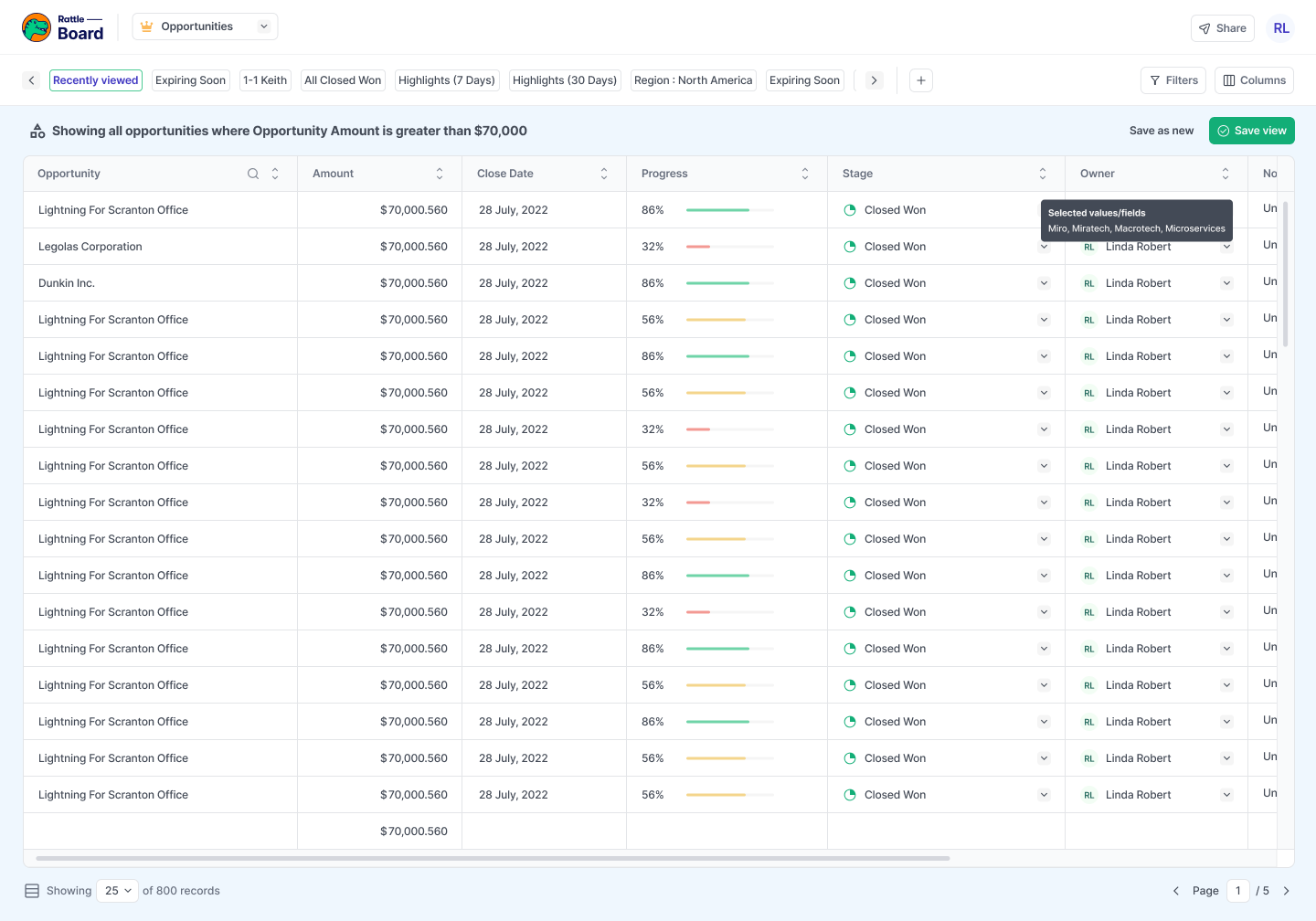
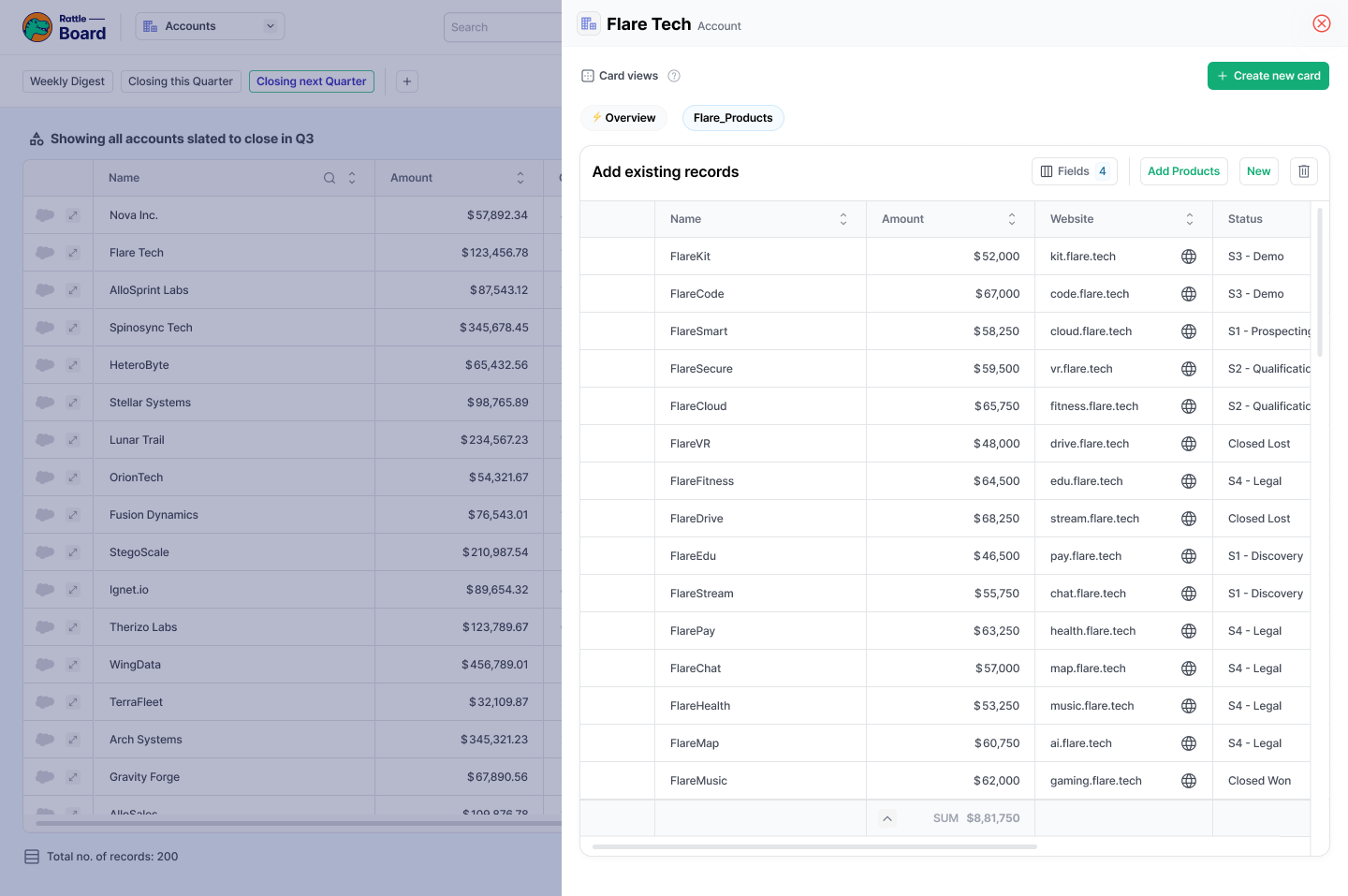
Sales reps and leaders were constantly switching between Salesforce tabs and manually hunting down pipeline data. Without a consolidated view, updating records and managing deals required navigating multiple pages, slowing down pipeline reviews and increasing CRM hygiene issues.
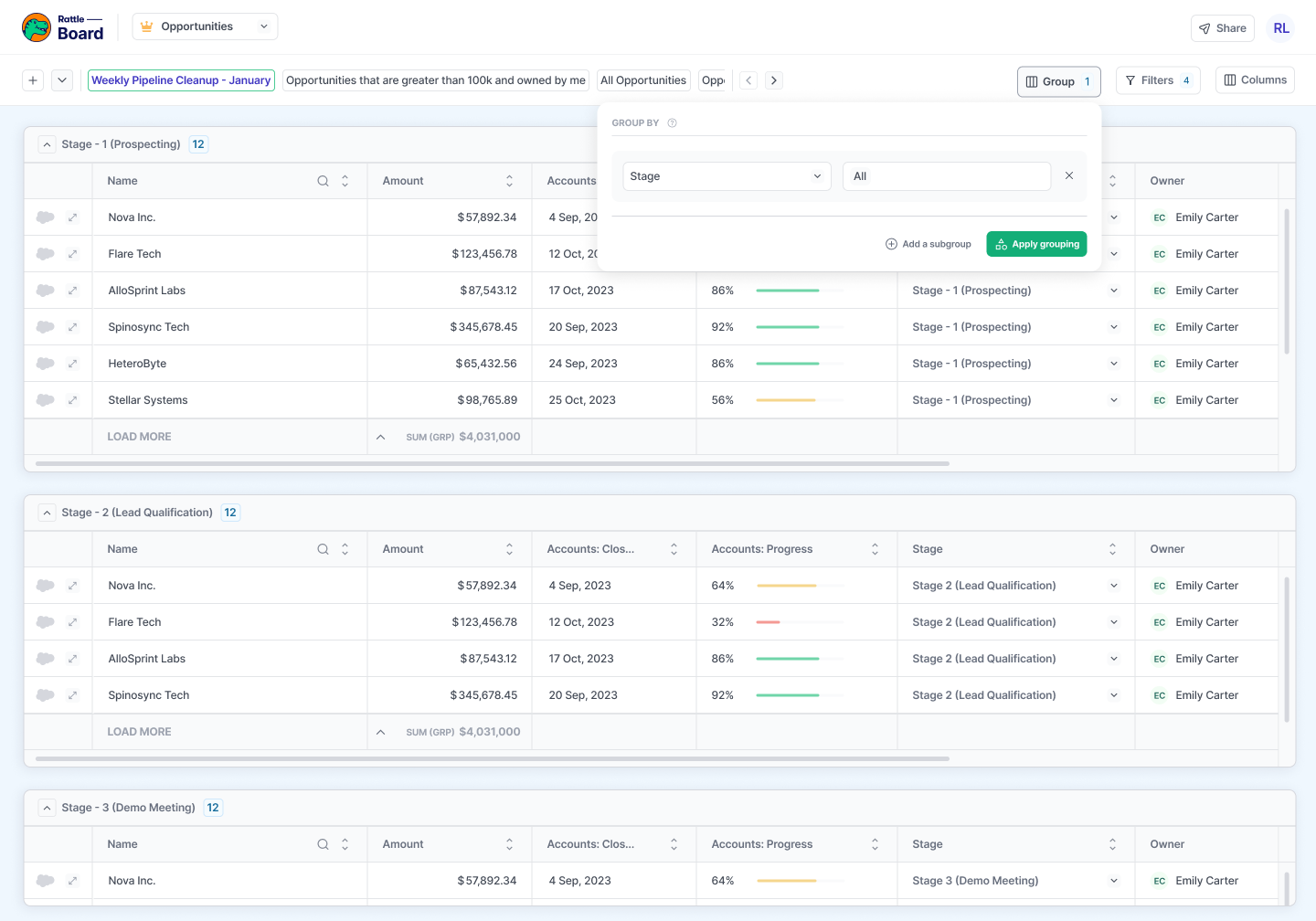
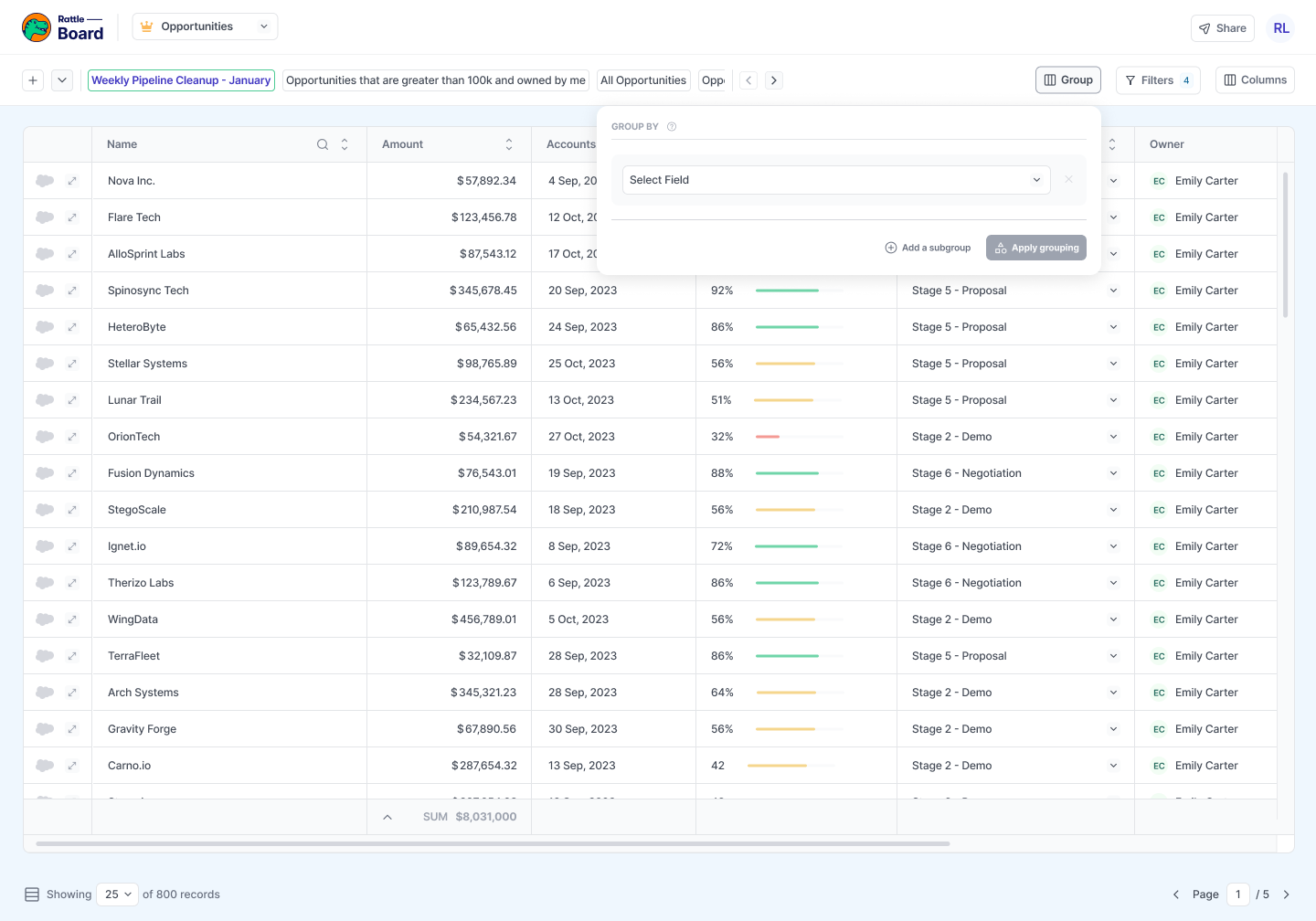
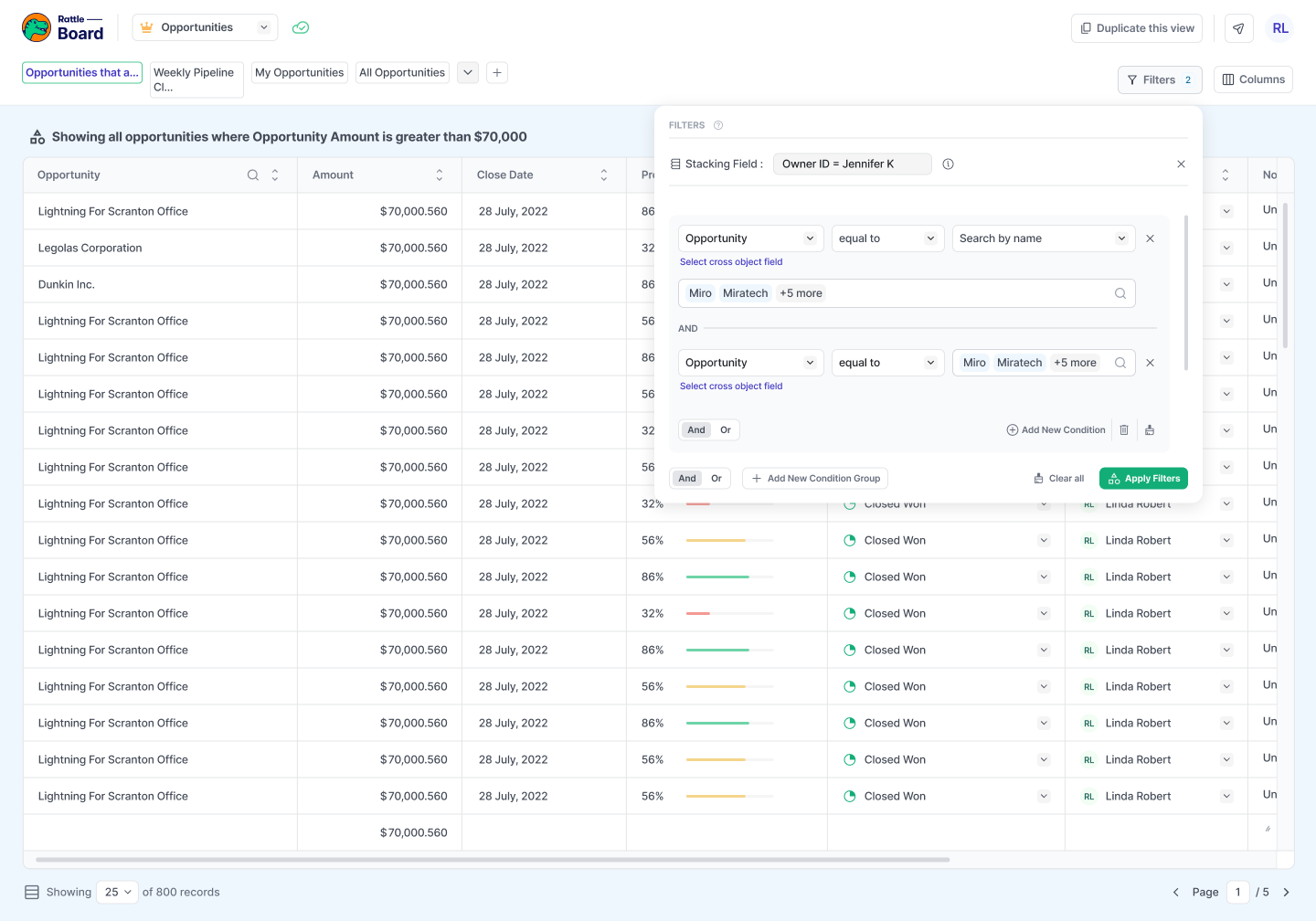
Rattle Board is a unified data view that surfaces all Salesforce records in one place. Teams can create custom views tailored to their workflow — filtering by stage, date, value, or any CRM field — and edit records directly without leaving Rattle. It supports grouped views, child record expansion, and dynamic filters, giving reps and managers a faster way to update Salesforce, manage pipeline, and inspect deals in real time.
I designed Board from the ground up, focusing on making dense data scannable and actionable. This included the view creation flow, grouping and filtering interactions, inline editing, and the overall information hierarchy — ensuring the experience felt lightweight despite the complexity of the underlying Salesforce data model.
UX Measurement
Without instrumentation, design decisions relied on intuition rather than evidence. There was no reliable way to know whether shipped features were being used, where users dropped off, or which KPIs were actually moving — making it hard to prioritize improvements or prove design impact.
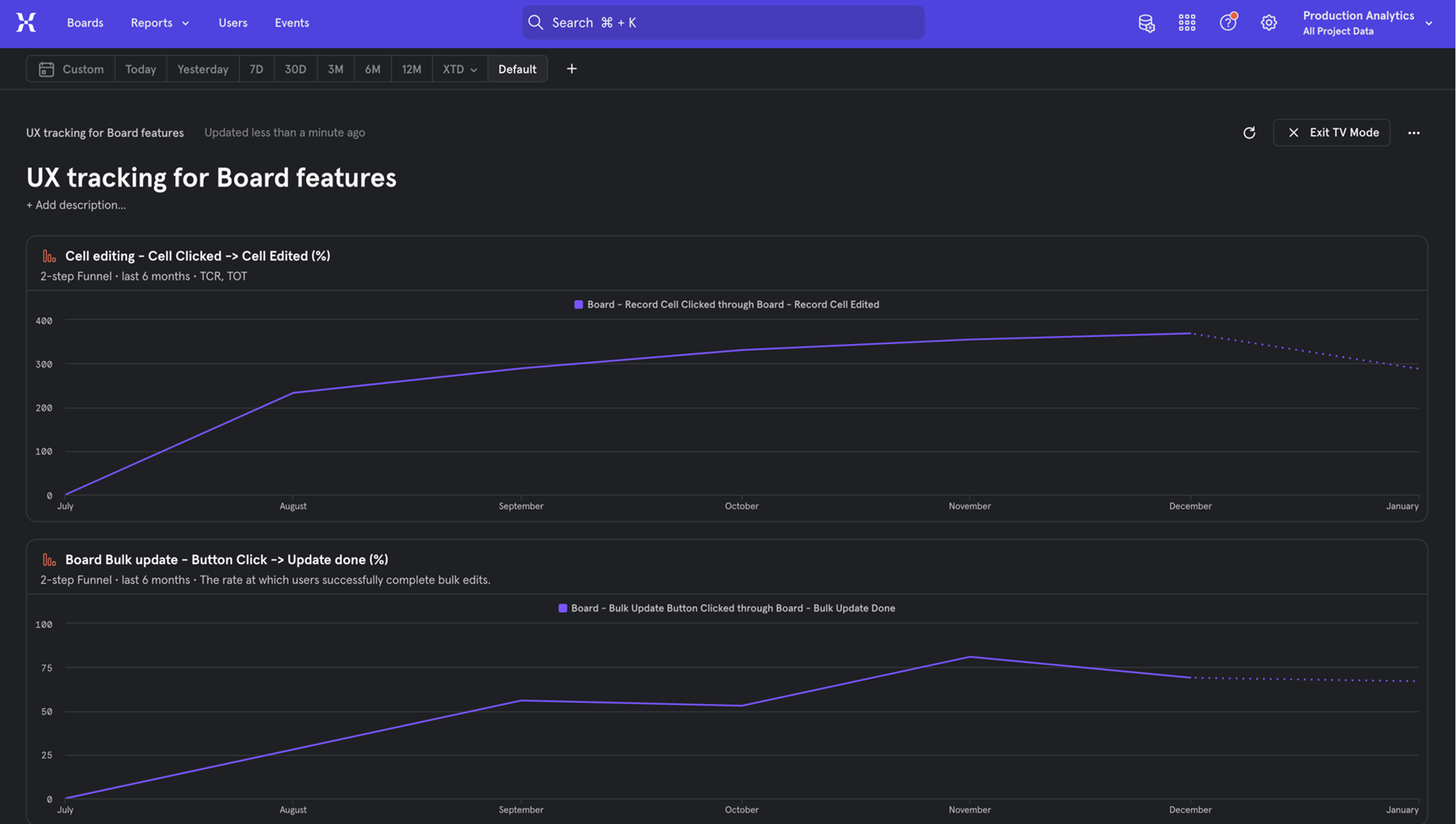
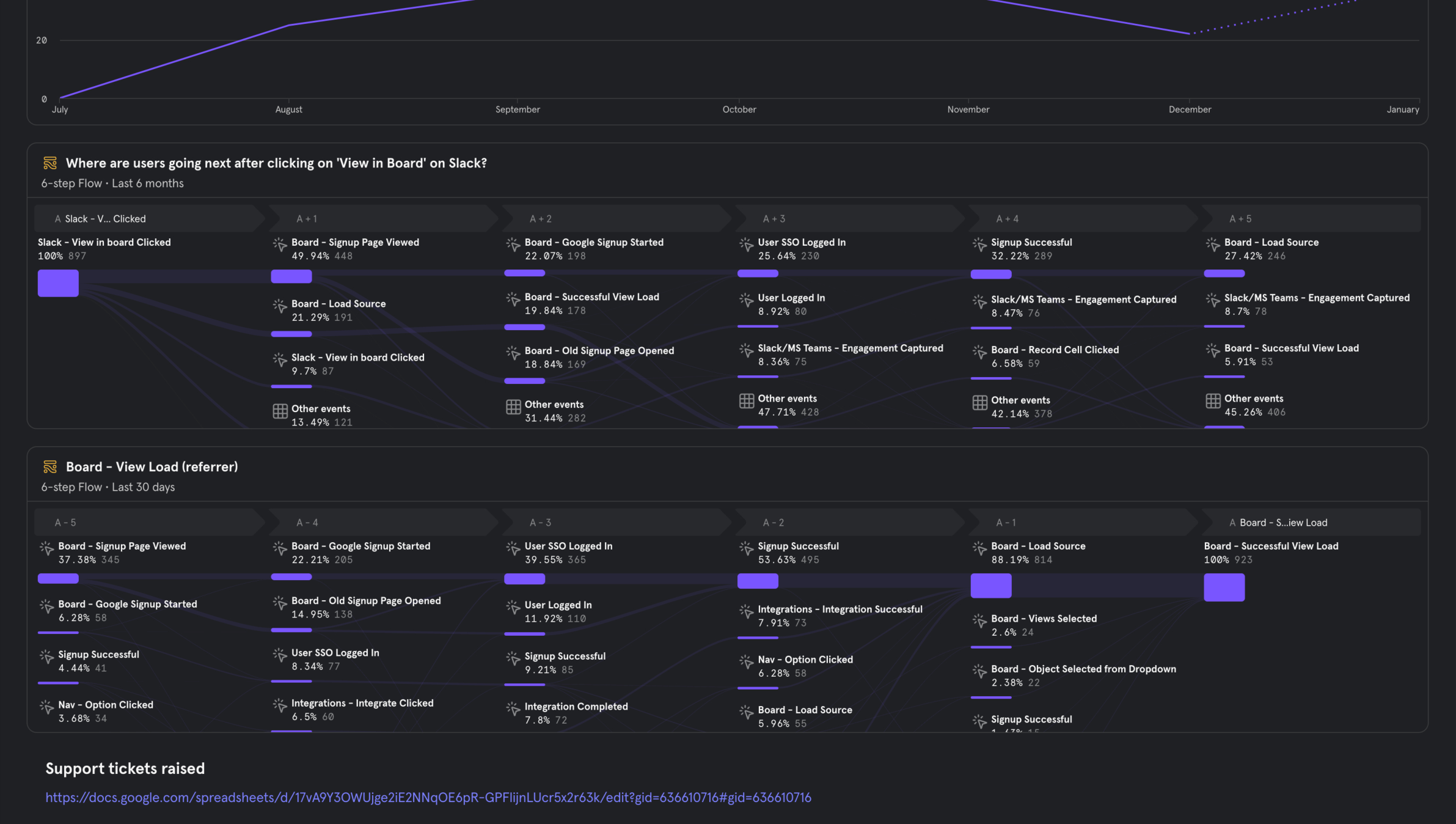
I led a cross-functional effort to instrument every critical feature across the Rattle product. Working closely with engineering, I defined tracking requirements, oversaw implementation, and piped data into Mixpanel dashboards. For each feature, I collaborated with my PM to identify the right KPIs to monitor — engagement rates, completion rates, drop-off points, and adoption trends. My manager Nayan and I held weekly syncs to review the dashboards, track progress, and adjust priorities based on what the data revealed.
This project fundamentally changed how the team designed and iterated. Instead of shipping and moving on, we now had a continuous feedback loop. Features like bulk edit on Board saw high-impact improvements delivered with speed precisely because we knew exactly where friction existed and could validate fixes quickly. UX measurement became the foundation for ongoing product improvements across the entire platform.
Dingo DS
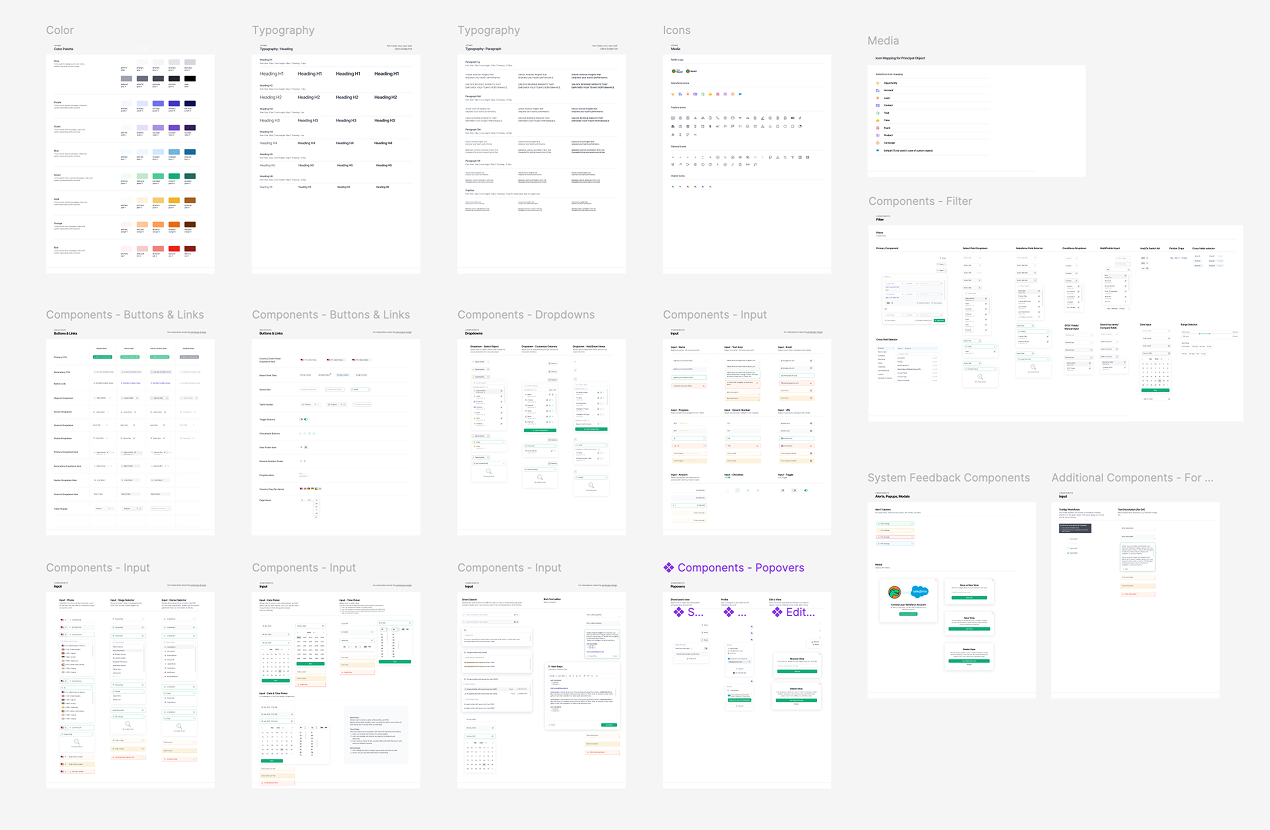
As Rattle’s product grew rapidly, inconsistencies across the UI were accumulating — components diverging across features, patterns duplicated with slight variations, and design-to-dev handoffs slowing down due to ambiguity. There was no single source of truth.
I audited over 1,200 Figma frames across the entire product to identify inconsistencies, redundant patterns, and gaps in the component library. From this audit I built and refined Dingo DS — named after Rattle’s mascot — a comprehensive design system that standardized UI components, interaction patterns, typography, spacing, and color across the product. The system was adopted by both design and engineering, significantly reducing handoff friction and enabling faster, more consistent feature delivery.
Dingo DS became the foundation every new feature was built on. The ~30% reduction in design-to-dev time is a direct result of this investment in systematized, reusable components and shared language between disciplines.
Clari Forecast Integration
Sales leaders using Clari for forecasting had no way to surface that data where their teams actually worked — in Slack. Checking forecast status required logging into Clari directly, which meant less visibility, missed updates, and slower intervention when deals were at risk.
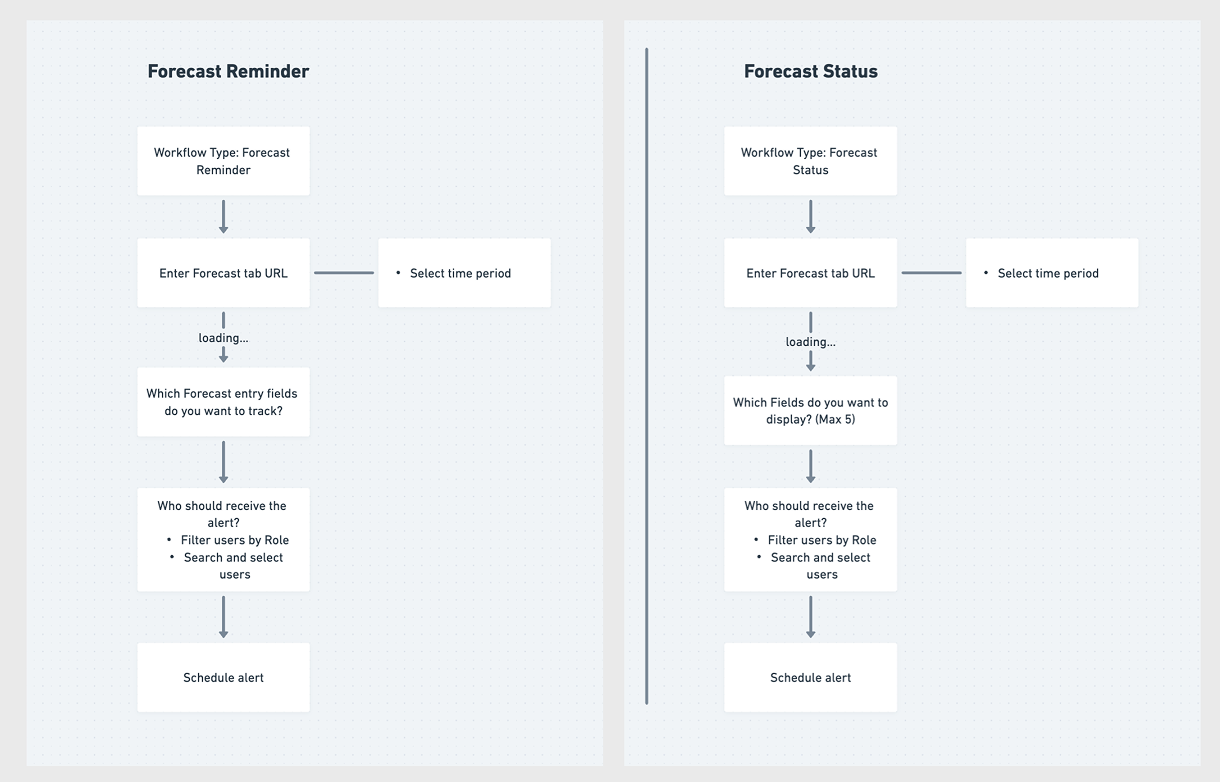
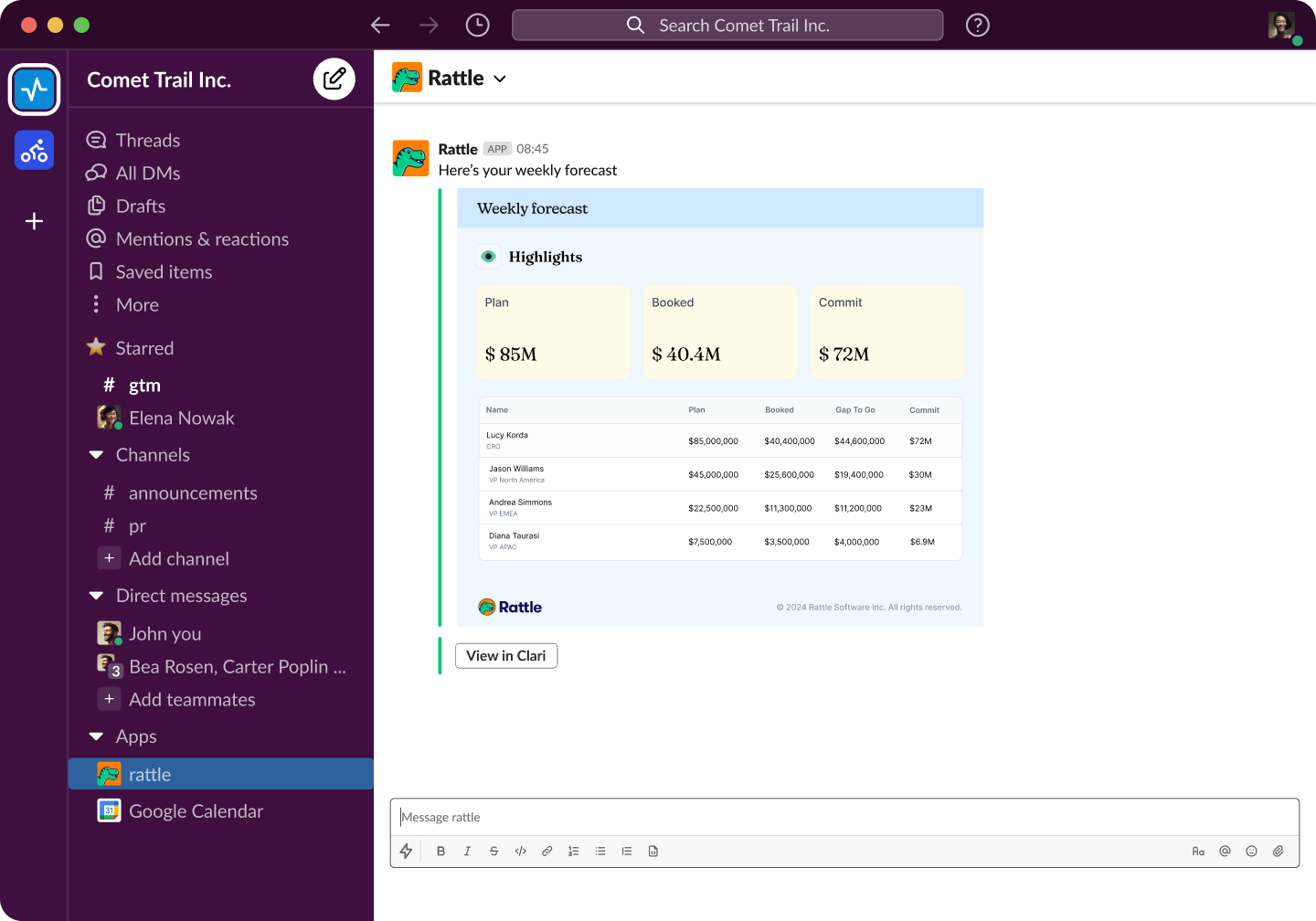
I designed two Clari-native workflow types within Rattle: Forecast Reminder and Forecast Status. Both workflows connect to a Clari forecast tab URL, allow users to select a time period, and configure which forecast fields to track or display. Admins can filter recipients by role, search and select specific users, and schedule recurring alerts — all delivered directly to Slack as structured, scannable summaries showing Plan, Booked, Commit, and Gap to Go across the team hierarchy.
I mapped out the full data flow diagram (DFD) for both workflow types to align with engineering on the configuration steps and data dependencies before moving into UI design. The result gave revenue leaders instant forecast visibility in Slack without ever leaving their workflow.
Impact
Deal Intelligence and Meeting Intelligence drove measurable business impact across growth, adoption, and operational efficiency.